Three ways to run the hour
Move deliberately between AUTO, Live Assist, and Manual operation with Current, Next, timing, readiness, and transport status held in one focused view.
 Airchain
Native radio automation for macOS
Airchain brings playout, timing, media, imported music schedules, and operational records together in one native Mac application.
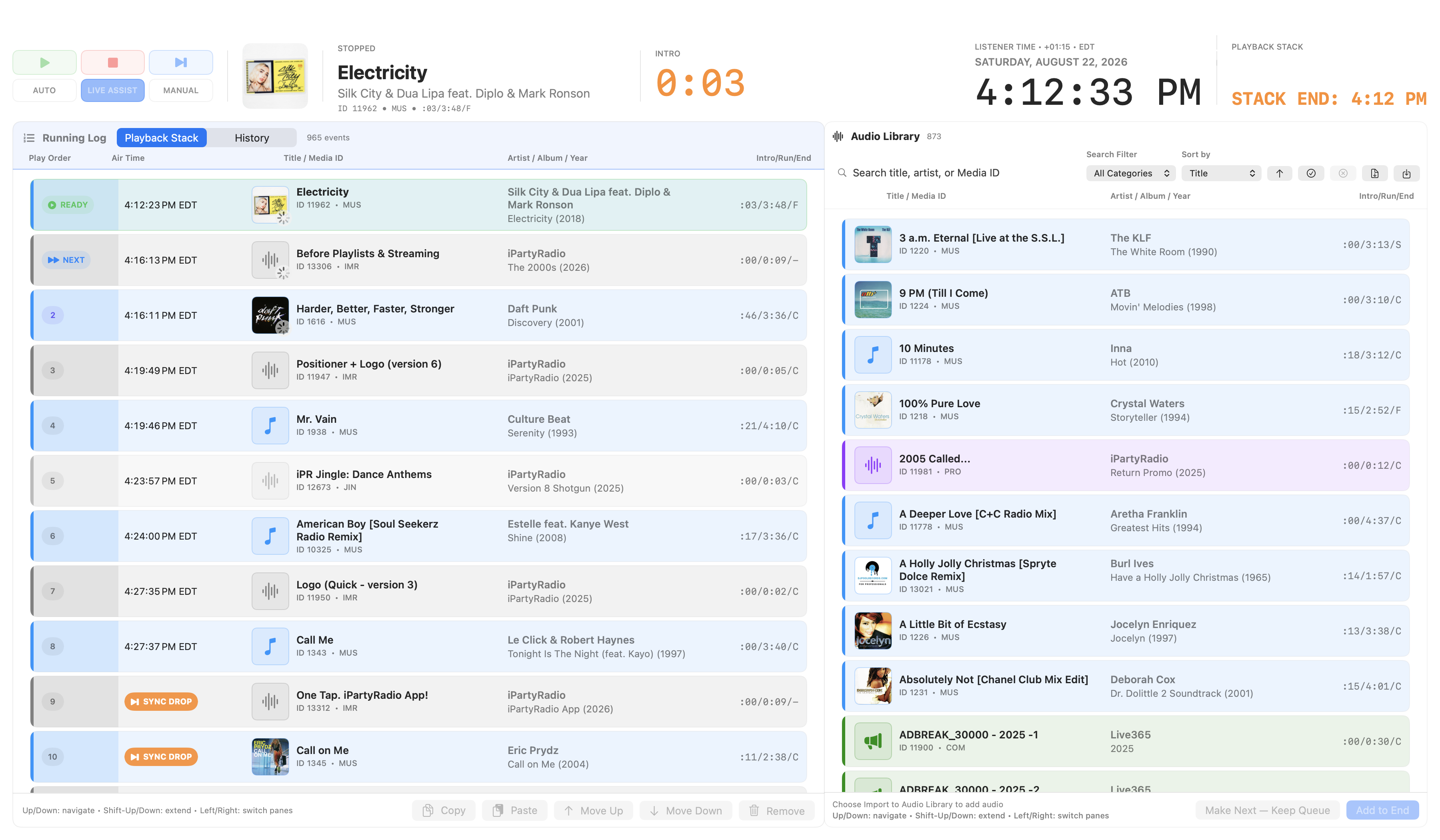
The complete on-air workspace
Airchain is built around the whole operating day: prepare the system, review the schedule, run the hour, respond safely, and leave a useful record behind.
Move deliberately between AUTO, Live Assist, and Manual operation with Current, Next, timing, readiness, and transport status held in one focused view.
Review, rearrange, preview, and protect the running order while predictive Air Times, clock boundaries, and prepared transitions remain visible.
Import music schedules from any scheduling system that can export a supported text log, while preserving authored order, station time, and safe future appointments.
Author Cue In, Downbeat, Intro, EOM, and EOF; shape fades, pitch, segue behavior, breaks, one-shots, and Hard, Soft, or Hold Time Syncs.
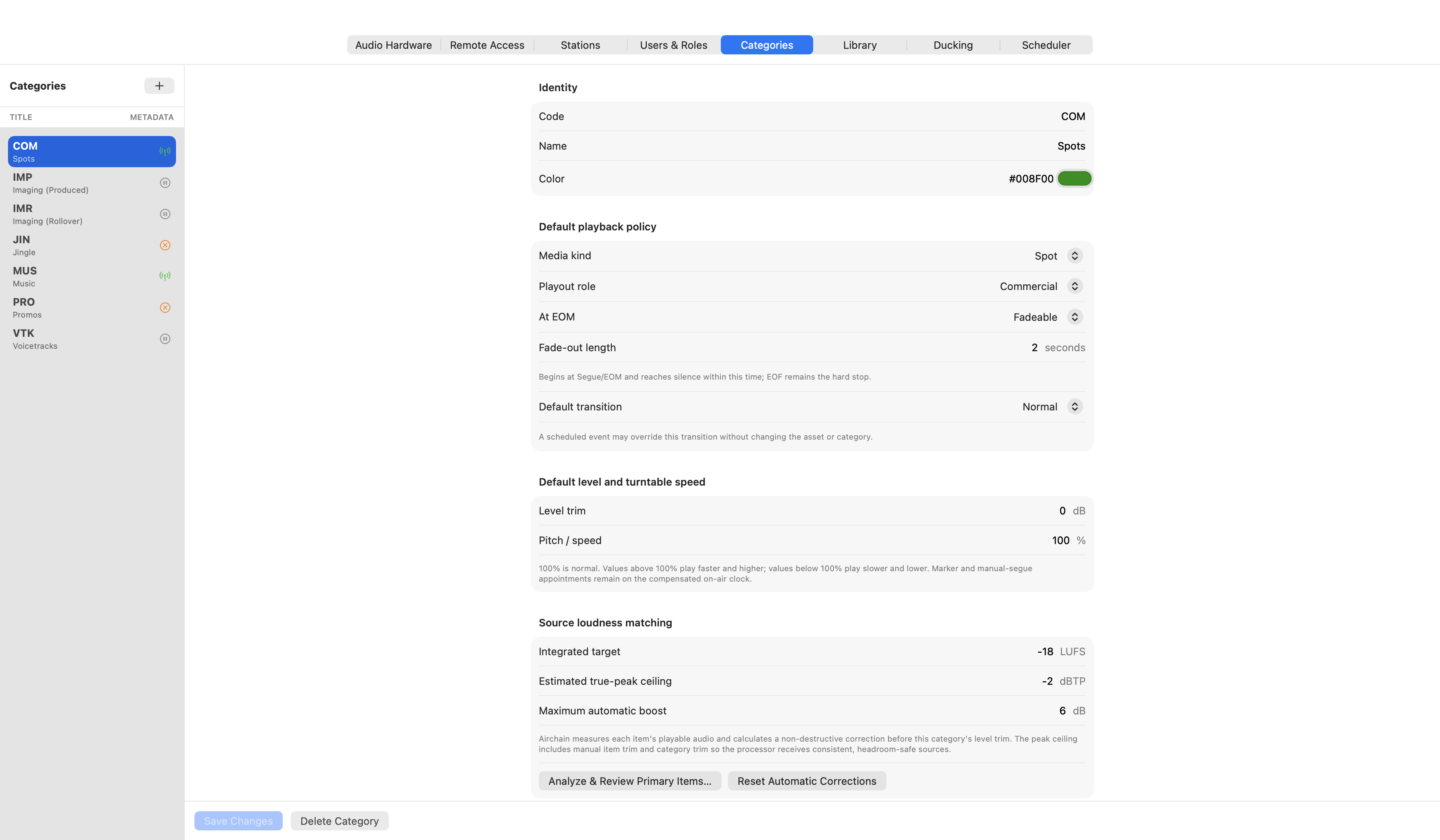
Bring in audio and metadata through reviewed workflows, inspect source health, audition independently, and apply category, loudness, and timing policy without rewriting source audio.
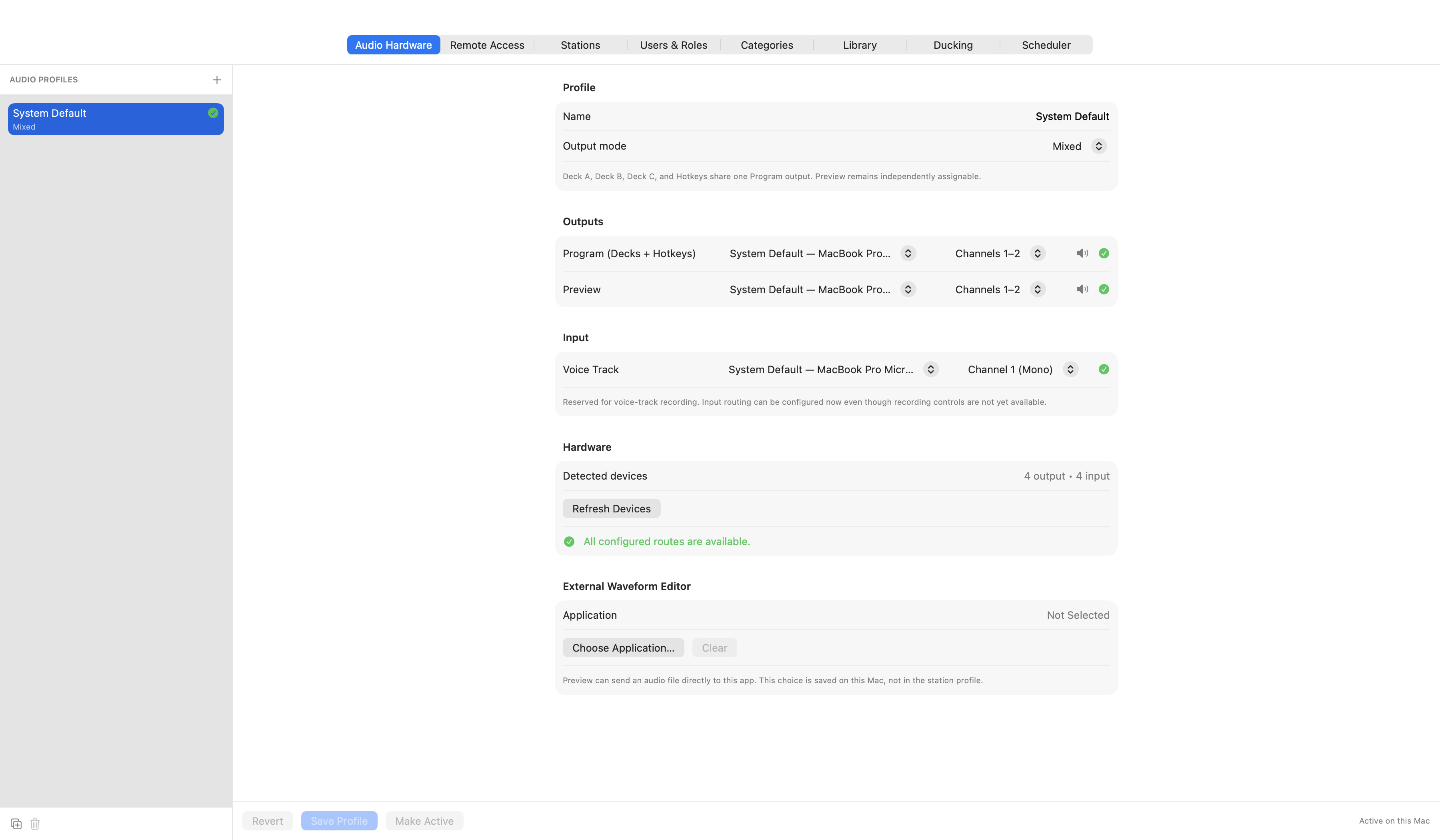
Create machine-local Mixed, Discrete, or Custom output profiles, test physical channels while stopped, and keep Preview independent of Program.
Use rolling History, per-asset Play History, and occurrence-based Daily Playback Logs with timing, outcomes, provenance, and verifiable daily exports. Beta coverage is explicitly partial and is not an uptime claim.
Evaluate same-build Remote operation over a trusted LAN or private VPN with scoped users, roles, permissions, unknown-outcome warnings, and audit trails.
Publish category-controlled now-playing metadata, support external waveform editing, and keep operator-initiated metadata searches and diagnostics under station control.
The actual Airchain interface
These are direct captures from Airchain’s native macOS application—not mockups or web recreations. They show the real Studio workspace, controls, operational cards, timing states, and settings operators use.
One deliberate operating loop
Verify the station, audio profile, media access, Home timezone, backup, and tested fallback.
Inspect the imported schedule, Missing Audio, clock boundaries, timing markers, and prepared future audio.
Choose the mode, keep Current and Next legible, and make selection-aware edits without losing the on-air state.
End the shift with History, Daily Playback Logs, diagnostics, and an operator handoff that explain what happened.
Where Airchain fits
Stations may compare Airchain with broader automation platforms such as WO Aurora from WideOrbit or Zetta, and with Mac playout tools such as MegaSeg. Airchain takes a focused path: native Mac broadcast playout that complements the music scheduler and business systems a station already uses.
A universal native macOS application for Apple silicon and Intel, with machine-local output profiles, independent Program and Preview routing, Keychain-backed secrets, and native operator controls.
Airchain accepts music schedules from any system that can export or map to its supported text-log format. Scheduling decisions stay with the scheduler; Airchain resolves media, protects timing, and runs the hour.
Core Studio catalogs, schedules, backups, diagnostics, and playback records remain in the station’s macOS account. Core playout requires no Calder Creative Media cloud account or automatic analytics upload.
Unavailable supported media remains visible in authored order as MISSING with its airtime and source context. Ambiguous timing, structure, or readiness holds for review instead of silently guessing.
Repeated scheduled plays remain distinct, and actual output attempts carry their outcome, route, clocks, and schedule provenance. Daily exports provide operational evidence without claiming continuous uptime.
Airchain complements existing scheduling and business systems. It concentrates on playout, timing, media, safety, and operating evidence instead of trying to replace traffic, sales, or music scheduling.
Current candidate
0.9.0Beta 71 · Build 89Compatibility
macOS 13+Universal Apple Silicon + Intel applicationCurrent scope
StudioRemote remains experimental during betaControlled beta
We are looking for operators and engineers who can evaluate Airchain with real schedules, representative media, verified routing, and an immediate fallback.
Airchain 0.9.0 Beta 71
Build 89